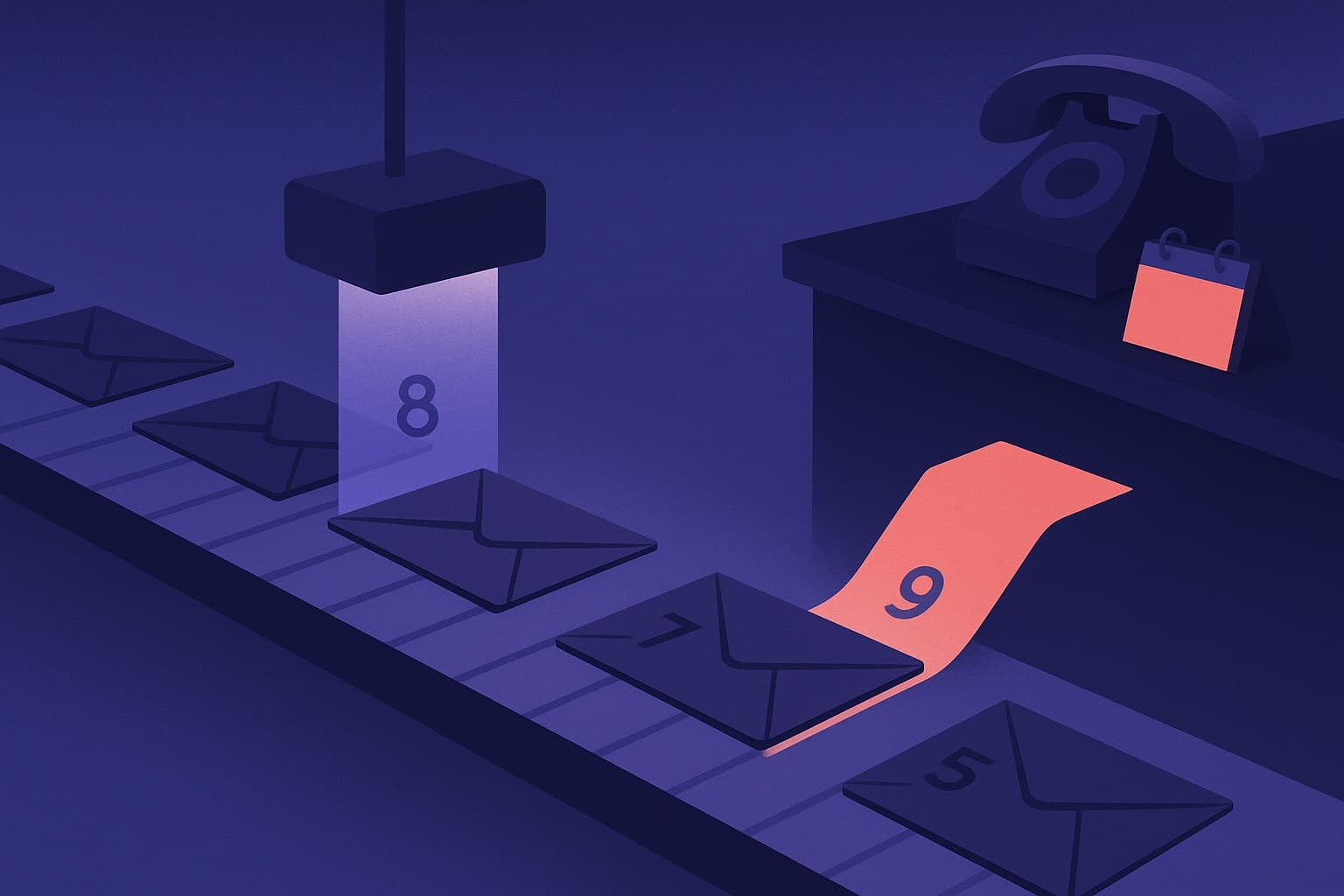
Many teams don't have an appointment problem. They have a system problem.
A request for appointment comes in from a paid ad, a website form, a cold email reply, or a LinkedIn message. Then the handoff gets messy. Sales asks follow-up questions too late. Marketing sends traffic to a form that asks the wrong things. Scheduling creates friction. Reminders are inconsistent. The calendar fills with meetings that never should've been booked, while real opportunities slip out of the funnel.
That's why the strongest teams stop treating appointment setting like a set of disconnected tasks. They build an appointment engine. Outreach creates intent. Forms capture it. qualification filters it. scheduling secures it. follow-up protects it. measurement improves it.
The payoff isn't just more meetings. It's more of the right meetings.
Crafting Irresistible Appointment Requests That Get Opened
Most appointment requests fail before anyone reads the second line. The ask arrives too early, sounds generic, or forces the prospect to do too much work. If you're asking for time, your message has to answer a simple question fast: why should this person care enough to reply?
The best request for appointment messages don't sound polished for the sake of it. They sound relevant. They show that you understand the buyer's context, that you respect their time, and that you're offering a conversation worth having.

Start with relevance, not your calendar
A weak message starts with your company. A strong one starts with the prospect's likely problem.
That doesn't mean you need fake personalization like mentioning a recent post just to prove you did research. It means you identify one business tension that makes a conversation useful now. For a VP of Sales, it may be rep efficiency. For a demand gen leader, it may be lead quality. For an operations lead, it may be scheduling chaos after a form submission.
A simple structure works well:
Context
Show why you're reaching out to this specific person or team.Problem
Name the friction you suspect they're dealing with.Value
Explain what changes if they solve it.Low-friction ask
Offer a short conversation with a narrow purpose.
Practical rule: Don't ask for "15 minutes to introduce ourselves." Ask for a short conversation tied to a concrete outcome.
Subject lines and opening lines that earn attention
Subject lines don't need to be clever. They need to be clear. Buyers scan for relevance, not artistry.
Good patterns include:
- Problem-led: "Lower no-show rates from inbound demos"
- Workflow-led: "Fixing the gap between form fills and booked meetings"
- Role-led: "For teams handling high-intent appointment requests"
- Direct and simple: "Request for appointment"
What usually doesn't work:
- Vague curiosity: "Quick question"
- Overhyped framing: "Game-changing opportunity"
- Premature familiarity: "Just bumping this up"
Your first sentence matters even more. Avoid long company intros. Open with the issue that created the reason to contact them.
Copy and paste templates that don't sound robotic
Use these as frameworks, not scripts. The wording matters less than the logic underneath it.
Email template for a demo request
Subject: Reducing friction after demo requests
Hi [First Name],
I’m reaching out because teams often lose momentum right after a prospect submits a demo or appointment request. The form captures intent, but the next step often adds friction through delayed follow-up, extra qualification, or scheduling back-and-forth.
We help teams turn that handoff into a cleaner flow, so qualified requests move straight into the right meeting path.
Would you be open to a short conversation next week to compare how your current intake and scheduling flow works?
Best, [Your Name]
Why it works:
- It starts with a common operational problem.
- It avoids a bloated product pitch.
- It makes the meeting about diagnosing a workflow, not sitting through a presentation.
LinkedIn message for a discovery call
Hi [First Name], I work with teams that generate solid inbound intent but still lose appointment requests between form submission and booking. Your role looked relevant because that gap usually sits between marketing ops, sales, and scheduling. If improving that flow is on your plate, happy to exchange notes and see if a short call makes sense.
This works on LinkedIn because it respects the channel. It doesn't read like an email pasted into DMs.
Follow-up email after no response
Subject: Re appointment flow
Hi [First Name],
Following up on my note because this issue tends to hide in plain sight. Teams see form volume and assume the funnel is healthy, but the drag often shows up later through weak qualification, slow handoff, or missed meetings.
If you're reviewing that process this quarter, I'm happy to share a few practical ways teams tighten it without adding more manual work.
Open to a quick appointment next week?
Best, [Your Name]
Use multiple channels if the account matters
Single-channel outreach leaves too much to chance. In B2B sales, top performers track Decision Maker Reach Rate, and when DMRR is above 12%, they achieve 20% to 30% opportunity-to-close win rates, while email-only outreach can produce a 70% lower DMRR according to Leads at Scale's breakdown of appointment setting metrics.
That should change how you think about a request for appointment. If the account matters, don't send one email and wait. Pair email with LinkedIn, thoughtful follow-up, and, where appropriate, a call.
A practical sequence might look like this:
- Day one: Send a short email with a clear value proposition.
- Day two: Connect on LinkedIn with a lightweight version of the same message.
- Day four: Follow up by email, this time naming the cost of the current friction.
- Day six: Call if the role and market make phone outreach realistic.
- Day eight: Send a final note that closes the loop without pressure.
The ask should make yes easy
Outreach often sabotages its own impact by ending with a heavy ask. "Can we book an hour?" is too much. "Would a brief call be useful?" is soft but often too vague. The middle ground works better. Offer a short discussion with a specific purpose.
Examples:
- Compare your current request-to-booking flow
- Review how your team qualifies appointment requests
- Pressure-test your reminder and follow-up process
That framing lowers resistance because the buyer knows what the meeting is for.
You should also make the path after "yes" obvious. If your team sends reminder texts, it's worth reviewing powerful appointment confirmation text templates because the post-booking message matters almost as much as the initial ask. And if your website still treats contact capture like a generic lead gen task, these contact form optimization tips are a useful checkpoint before you drive more traffic into a weak intake flow.
Building Your Digital Front Door with High-Converting Forms
Your form isn't a utility. It's your digital front door.
When someone clicks "request for appointment," they're making a small commitment. They have interest, but not infinite patience. If the form is confusing, long, awkward on mobile, or asks questions in the wrong order, that intent fades fast. Teams often blame traffic quality when the problem is the intake experience.
The fix isn't adding more fields or fewer fields by default. It's designing the form so each question earns its place.

What high-converting forms do differently
A good appointment request form does three jobs at once. It captures contact information, qualifies the request, and routes the person toward the right next step.
Most weak forms fail because they try to do only one of those jobs. They collect basic details, then push the core work onto a rep later. That creates lag, duplicate outreach, and calendar waste.
Here are the design choices that usually matter most:
- Ask for intent early: "What do you need help with?" is often more useful than collecting every demographic detail first.
- Use conditional logic: A prospect requesting a demo shouldn't see the same path as someone seeking support or eligibility information.
- Keep mobile in mind: If fields, buttons, or date selectors feel clumsy on a phone, form completion drops in practice.
- Set expectations: Tell the user what happens after submission. Will they book instantly, wait for review, or receive a callback?
- Pre-qualify before scheduling: If someone isn't a fit, don't let them block a calendar slot that sales has to unwind later.
Qualification belongs inside the form
This matters most in appointment flows with eligibility rules, service-area limits, or tiered sales motion. Standard forms often fail because they don't pre-qualify users for complex eligibility, which creates wasted slots. Organizations often handle that screening through verbal helplines instead of digital intake, but integrating that logic into the form itself lets an AI SDR ask contextual questions, evaluate eligibility in real time, and reduce no-shows caused by mismatches, as discussed by LAFLA's eligibility-based intake context.
That principle applies far beyond legal aid or public services.
A B2B example is straightforward. If an enterprise sales team only wants to book companies above a certain size, the form should ask the questions that determine routing before offering calendar access. A services business should distinguish between new clients, existing clients, and urgent support. A healthcare-adjacent software company may need different flows for providers, administrators, and patients.
The fastest way to lose good appointment requests is to treat every request like it deserves the same path.
Tool choice shapes conversion quality
Teams often choose a form builder based on aesthetics. That's the wrong buying criterion. You should care more about logic, routing, integrations, enrichment, and what happens after submit.
Here's a practical comparison.
| Tool | Key Feature | Best For |
|---|---|---|
| Orbit CRM | AI-powered forms with qualification, scheduling, analytics, and CRM workflows | Growth teams that need intake, scoring, and routing in one flow |
| Typeform | Conversational form experience | Brands that prioritize design and simple lead capture |
| Jotform | Large template library and broad use cases | Teams with varied internal form needs |
| Tally | Lightweight form creation with simple setup | Startups that want speed and simplicity |
| Fillout | Flexible logic and solid workflow support | Teams building operational forms with conditional paths |
If you want a practical reference point for building this kind of flow, this guide to an appointment booking form builder covers the mechanics that matter after someone clicks submit.
Traffic quality still matters, but don't hide behind it
Some forms underperform because the wrong audience lands there. That's real. But many teams jump to that explanation too early. They buy more traffic instead of fixing the front door.
A better approach is to align channel intent with form intent. Someone coming from a branded search ad can usually handle a more direct booking path. Someone clicking a top-of-funnel content offer may need a softer request path with lighter qualification.
If you're investing in content and acquisition, a robust SEO strategy can bring in more qualified visitors. But more traffic only helps if the appointment request flow matches the visitor's level of intent.
Small form decisions create big operational consequences
I've seen teams break a healthy funnel by making one well-meaning change. They add too many required fields because sales wants more context. Conversion slips. Then they remove qualification entirely to recover volume. Sales gets flooded with weak requests. Neither side trusts the numbers.
The better approach is controlled friction. Ask only what helps you route, qualify, or personalize the next step.
Use this simple test for every field:
- Keep it if it changes routing, prioritization, or meeting prep.
- Delay it if a rep can gather it in conversation.
- Remove it if it satisfies curiosity more than decision-making.
That discipline turns a form from a passive collection point into a working part of your appointment engine.
AI-Powered Qualification Rules and Smart Lead Scoring
A form submission isn't a sales opportunity yet. It's a signal.
Some signals deserve immediate follow-up. Others need nurture. Some shouldn't hit a rep's calendar at all. The gap between those outcomes is where qualification rules and lead scoring do their real work. Without them, your team treats every request for appointment as equal, and that's how high-intent buyers end up waiting behind low-fit submissions.

Build scoring from fit, intent, and timing
Teams often overcomplicate scoring at the start. You don't need a giant model. You need clear rules that reflect how your business sells.
Three signal groups matter:
Fit signals
These describe whether the account resembles your ideal customer profile. Depending on your market, that may include company size, industry, geography, business model, or role.
A strong fit doesn't guarantee readiness. It tells you the conversation is worth protecting if intent is also there.
Intent signals
These come from what the person says and does. A generic "contact us" request means one thing. A detailed appointment request describing a current workflow problem means something else.
Free-text responses are especially useful here. They reveal urgency, use case clarity, and buying language that dropdowns often miss.
Timing signals
Timing determines whether a lead belongs in a rep's queue now or in a nurture sequence. If the person indicates an active project, a current vendor issue, or an immediate need for evaluation, that request should move faster than exploratory interest.
Qualification rules should change the journey
Scoring only matters if it affects what happens next.
A common mistake is calculating a score in the background while every lead still receives the same scheduling link and the same follow-up. That's analytics theater. The whole point is to route people differently based on what you learn.
For example:
- High-fit, high-intent requests can move directly to booking with an account executive.
- Good fit but early-stage requests may go to a discovery call or a nurture track.
- Low-fit or ineligible requests should receive a different path, such as resources, partner referral, or manual review.
- Existing customers should bypass new business calendars entirely.
Operator note: If qualification doesn't change routing, response time, or meeting ownership, it isn't operational. It's just labeling.
The AI SDR becomes the brain of the engine
An AI SDR demonstrates its utility. It doesn't just score a lead once and stop. It can enrich submissions, interpret open-text context, apply routing rules, and surface which appointment requests deserve attention first.
That matters because reps don't need more records. They need cleaner queues.
A useful setup looks like this:
- Form submission triggers enrichment
- Enriched data updates fit criteria
- Open-text answers inform intent
- Rules assign score bands
- Score band determines owner, meeting type, and follow-up path
For teams evaluating how this works in practice, this breakdown of AI-powered lead scoring is a solid operational reference.
Keep the model simple enough to trust
If sales can't understand why a lead got prioritized, they'll work around the system. That's why transparent logic beats fancy logic for teams.
Use plain-language scoring rules your team can audit. For example:
- Strong ICP match
- Buyer or strong influencer role
- Clear problem statement
- Active project or near-term need
- Correct region or service area
Then review edge cases. Which low-scored leads turned into good opportunities? Which high-scored leads wasted time? The point isn't perfection. It's consistent triage.
A strong appointment engine doesn't ask sales to guess which requests matter. It gives them a reasoned order of operations.
Automating Scheduling and Building Follow-Up Cadences
Once a request qualifies, speed starts to matter more than persuasion. At that point, the buyer has already shown intent. Your job is to remove friction between interest and attendance.
Many teams still lose meetings here. They send a manual email. They wait for a reply. They offer times. The prospect delays. Someone forgets to follow up. The calendar slot never gets booked, or it gets booked and then fades away before the meeting happens.

Remove the back-and-forth after qualification
If your form, CRM, and scheduler don't talk to each other, you create manual delay at the worst point in the funnel.
A cleaner system usually includes:
- Form submission enters the CRM immediately
- Qualification logic determines meeting type
- The right calendar link appears or gets sent automatically
- Booking details sync back to the CRM
- Follow-up and reminders trigger without rep intervention
Tools like Calendly and Chili Piper are common choices for scheduling. The exact platform matters less than the handoff quality. If a rep has to retype details, check fit manually, or send one-off confirmation emails, the workflow still leaks.
Reminder systems work because memory and motivation are weak
Attendance doesn't depend on interest alone. Buyers get distracted. Priorities shift. Inboxes fill up.
That's why reminders matter so much. A systematic review of 29 studies found that 97% showed improved attendance from reminders, with a 34% weighted mean relative reduction in non-attendance, moving the median Did Not Attend rate from 23% to 13%, according to Dialog Health's summary of appointment reminder statistics.
Those numbers come from healthcare, but the operating principle carries over cleanly into B2B. If a person requested a meeting earlier in the week, your reminder system protects that intent from getting buried.
Build a cadence that adds value, not just nudges
A lot of follow-up sequences fail because every message says the same thing in a different format. "Looking forward to our meeting" isn't enough.
A better cadence does three things:
- Confirms logistics
- Reinforces relevance
- Prepares both sides for a useful conversation
A practical structure looks like this:
Right after booking
Send confirmation with date, time, timezone, host, and purpose of the meeting. Keep it clean. If the meeting requires prep, name one simple step.
One day before
Send a short reminder that restates why the meeting matters. Include a concise agenda or outcome. This reduces the chance that the meeting feels optional.
A few hours before
Use SMS if appropriate, especially for high-value appointments or fast-moving sales cycles. Keep it short and easy to scan.
Internal reminder to the rep
Don't ignore the seller side. Reps also need context. Trigger a prep notification with the form answers, source, qualification notes, and prior touchpoints.
A no-show isn't always a prospect problem. Sometimes the team failed to keep the meeting alive between booking and showtime.
If your organization still has heavy inbound call volume or needs a human fallback for missed online bookings, some teams also leverage a virtual receptionist to catch appointment requests that would otherwise stall outside business hours.
Use content between booking and meeting
This is the most underused part of the process.
After someone books, teams often go silent until the meeting starts. That's a missed chance to increase show quality. A short pre-read, a customer example, a one-question pre-meeting email, or a simple agenda can sharpen the conversation before it begins.
For reminder copy ideas, this library of appointment reminder email examples is useful because it focuses on practical messages instead of vague templates.
A short explainer can also help align your team on the automation flow before you build it:
Protect the edge cases
Not every qualified lead should receive the exact same cadence.
Adjust the workflow when:
- The meeting is high-stakes: Add a personal note from the account owner.
- The sales cycle is complex: Include a short outline of stakeholders who should attend.
- The request came from mobile: Favor short confirmation and reminder formats.
- The lead booked far in advance: Add a value touchpoint in between booking and final reminder.
Teams that do this well don't just automate faster. They automate with judgment.
Measuring and Optimizing Your Appointment Funnel
Counting booked meetings is one of the fastest ways to fool yourself.
A calendar can look full while pipeline stays weak. That's what happens when the team measures activity instead of progression. The useful question isn't "how many appointment requests came in?" It's "which requests turned into attended meetings, qualified pipeline, and closed revenue?"
Global benchmarks show 20% to 40% no-show rates can damage sales pipelines, and using multi-channel reminders such as an SMS message two hours before the appointment can boost show rates by 15% to 20%, according to Intelemark's analysis of appointment show rates.
The metrics that actually matter
Use a funnel view, not a single dashboard tile.
Track these stages:
| Metric | What it tells you | Why it matters |
|---|---|---|
| Form conversion rate | How many visitors complete the appointment request form | Reveals friction at the point of capture |
| Lead-to-appointment rate | How many submitted requests become booked meetings | Shows whether qualification and scheduling are working |
| Appointment show rate | How many booked meetings actually happen | Protects rep time and forecast quality |
| Pipeline contribution | How many attended meetings create real opportunities | Separates volume from value |
| Closed revenue by source | Which channels generate customers, not just form fills | Guides budget and channel decisions |
Diagnose the leak before you fix it
Different symptoms point to different problems.
If form conversion is weak, the issue is often page intent, field friction, or mobile UX. If lead-to-appointment rate is weak, routing or qualification may be muddy. If show rate is weak, reminders, meeting positioning, or scheduling delay usually deserve inspection. If meetings happen but pipeline stays flat, your targeting is off or your qualification rules are too loose.
That sequence matters because teams often optimize the wrong stage. They rewrite ad copy when the issue is calendar friction. They blame sales when the form sends weak requests downstream.
Track the funnel in order. Otherwise, the loudest team gets blamed instead of the broken step.
Run small tests with clear ownership
A/B testing helps when the test is tied to one stage and one decision. It becomes noise when multiple teams change multiple variables at once.
Good tests are narrow:
- Headline test: Compare a generic CTA against a role-specific appointment request message.
- Field test: Remove one nonessential question and monitor completion quality.
- Routing test: Send one segment directly to booking and another to review-first handling.
- Reminder test: Compare a plain logistics reminder against one with agenda and value recap.
- Speed test: Measure outcomes when qualified leads receive immediate booking versus delayed rep outreach.
Keep ownership clear. Marketing can own page and form experiments. Sales ops can own routing and scheduler rules. SDR leadership can own follow-up timing and meeting prep standards.
If you need a practical framework for building that dashboard, this guide on how to measure form performance is a useful starting point.
Use optimization to improve quality, not just volume
The strongest appointment engines don't chase more requests at any cost. They increase the share of requests that deserve rep time.
That's the shift. A request for appointment isn't a vanity conversion. It's the start of a revenue path. Treat it like one. Measure every handoff. Test with discipline. Keep tightening the system until your calendar reflects actual buying intent, not just activity.
Orbit CRM fits this category for teams that want form capture, qualification, routing, and scheduling signals connected in one place. If your current stack treats appointment requests as disconnected steps, it's worth exploring Orbit CRM to build a cleaner appointment engine and turn more inbound intent into qualified conversations.